7 Best AI Logo Generators in 2026 (Tested & Compared)
A logo used to cost me $500 and three weeks of back-and-forth with a designer. This year I launched a small side project and decided to see whether AI logo generators could produce something I wouldn’t be embarrassed to print on a business card. I ran the same fictional company — a specialty coffee brand called “Northbeam Roasters” — through seven of the biggest AI logo tools, downloaded the actual files, and showed the results to two designer friends for a reality check.
Some tools genuinely impressed me. Others felt like clip-art machines with a checkout page. Here is what I found, what each one charges in 2026, and which I’d actually pick for different budgets and use cases.
Quick Verdict
- Best overall: Looka — the strongest mix of output quality, real brand-kit depth, and sensible one-time pricing.
- Best budget: Wix Logo Maker — a decent logo for a $20 one-time payment, no subscription.
- Best brand kit: Tailor Brands — the widest set of launch assets (cards, social kit, deck) under one subscription.
- Best for startups: LogoAI — fast, cheap at $29 one-time, and the file package is honest for the price.
- Best free option: Canva — the only tool here where you can walk away with a usable logo for $0.
- Best vector quality: Looka — the $65 Premium package gave me clean SVG and EPS files my print shop accepted without a single fix.
- Best customization: Brandmark — free pro-grade AI utilities (color wheel, logo scoring, font pairing) you can keep using without paying.
AI Logo Generators Compared
| Tool | Best for | Core strength | AI features | Pricing | Free tier |
|---|---|---|---|---|---|
| Looka | Small businesses wanting a full brand | Auto-generated brand kits with mockups | AI variations, brand-kit automation, real-time mockup previews | $20 basic / $65 premium (one-time); Brand Kit $96/yr | Design free, pay to download |
| LogoAI | Startups needing speed | One-time logo plus brand assets | AI generation, brand kit, business card creation | $29 one-time per logo | Preview free, pay to download |
| Brandmark | Tinkerers and designers | Free pro-grade AI design utilities | LogoRank scoring, AI color wheel, font pairing generator | Logo packages from ~$25–$35 | Free AI design tools, pay to download |
| Tailor Brands | New businesses wanting everything in one place | Business launch ecosystem (logo + LLC + tools) | AI logo editor, seasonal logo generator, design templates | $9.99–$49.99/mo ($3.99–$12.99/mo billed annually) | Design free, pay to download |
| Wix Logo Maker | Personal projects and side hustles | Simple one-time logo with commercial rights | AI-driven logo matching from your answers | $20 Basic / $50 Advanced (one-time) | Design free, pay to download |
| Canva | Zero-budget branding | Huge template library plus a real free plan | Magic Media text-to-image, AI brand tools | Free; Pro $120/yr | Yes — design and download free PNGs |
| Designs.ai | Agencies and marketers | All-in-one creative suite | AI logo maker plus video, copy, and design makers | $29–$199/mo ($19–$169/mo billed annually) | Limited free plan, no downloads |
What Looka Does Best
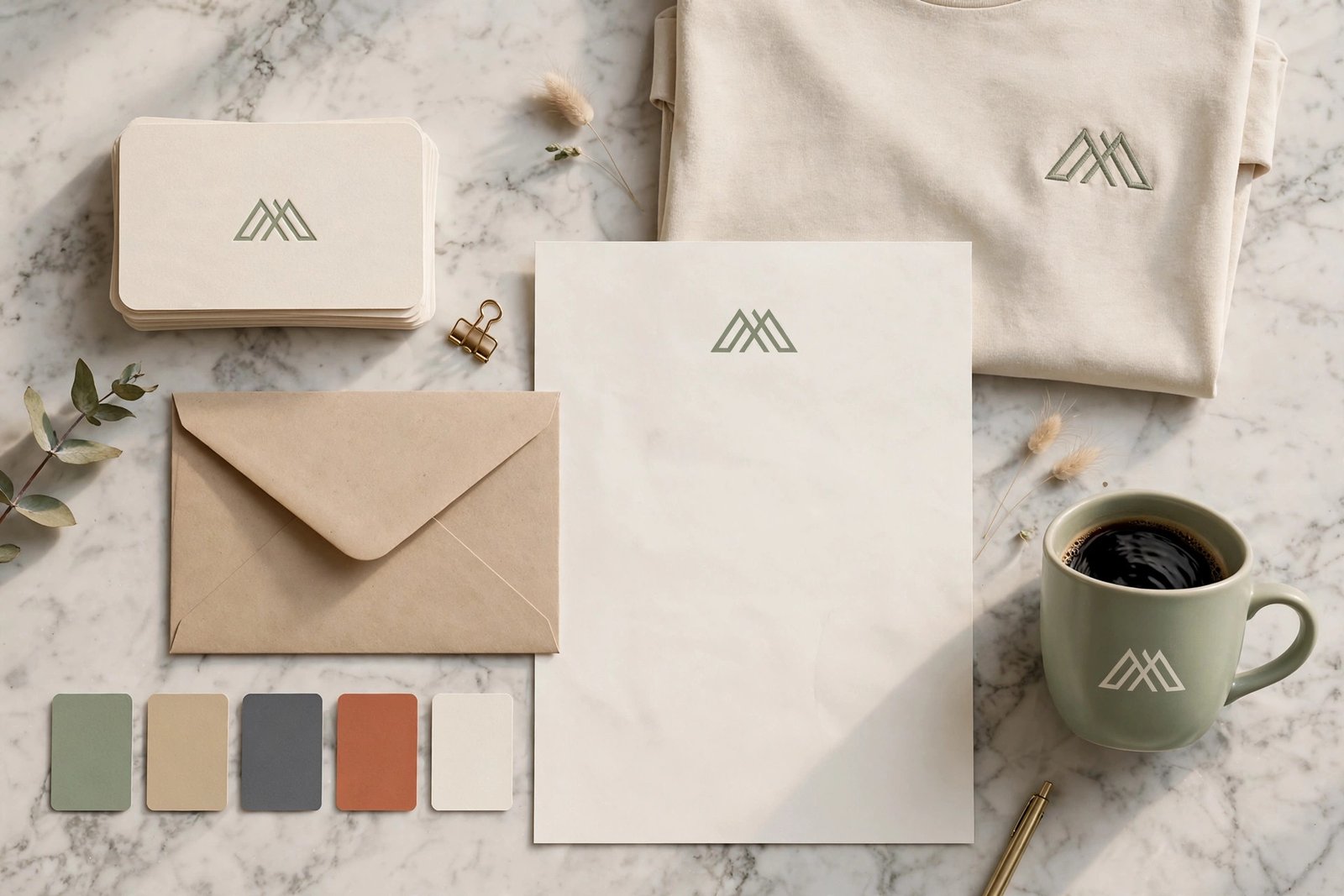
Looka was the only tool where I finished the flow and thought, “a designer would charge real money for this.” The quiz is short — name, industry, a few style picks — and the first batch of concepts for Northbeam Roasters already included about ten I’d happily show a client. The editor gives you real control: font size, letter spacing, symbol size and position, color swaps, all with live mockup previews on cards, shirts, and storefronts. The Brand Kit is the standout feature: one click generates social assets, business cards, letterheads, and email signatures in matching colors and fonts, so your brand actually looks consistent from day one.
Honest limitation: Looka is priced like a premium product. The $20 Basic package only gives you a low-resolution, non-editable file — basically a receipt for trying. You need the $65 Premium tier for print-ready SVG, EPS, and PDF files with full ownership. And the icon library feels recycled; if you browse enough Looka logos, you start recognizing the same marks.
What LogoAI Does Best
LogoAI is the fastest path from “I need a logo” to “I have the files.” My whole test run took under ten minutes, and the $29 one-time package included high-resolution files plus business-card mockups. For a startup founder who needs something presentable before a pitch on Friday, that combination of speed and honest pricing is hard to beat. There’s no subscription to cancel and no tier maze — you pay once for the logo you made.
Honest limitation: Customization runs shallower than Looka’s. Once I picked a concept, the variations felt like small remixes rather than genuinely new directions, and several marks for my coffee brand looked generic enough that I’ve seen near-copies on other sites. If your industry is crowded, you’ll need to push the editor harder to get something distinctive.
What Brandmark Does Best
Brandmark’s secret is that its best features are free. The AI Color Wheel builds palettes, the Font Pairer suggests combinations, and LogoRank scores your logo against objective design metrics — all without paying a cent. I kept these tabs open while testing the other tools, and honestly the free utilities are worth more than some paid generators on this list. The logo generator itself is quick and produces clean, minimal marks that suit tech and professional brands.
Honest limitation: The generator feels a generation behind Looka and LogoAI. Output variety was modest — I got the same vibe from most of my runs — and the site’s pricing information is scattered and confusing, with paid tiers that aren’t clearly explained. It earns its spot here for the free tools, not the paid packages.
What Tailor Brands Does Best
Nobody else on this list bundles this much. Tailor Brands gave me a logo, then immediately offered social media sizes, a business card tool, a branded presentation deck, a mini website builder, and even LLC formation services. For someone starting a business from zero, one login covers an absurd amount of launch work. The AI suggestions are decent, and the seasonal logo generator — which auto-styles your mark for holidays — is a small but genuinely fun touch.
Honest limitation: It’s a subscription, and that bothers me for a logo. Stop paying and you lose access to your files and tools, which makes the whole thing feel like renting your own brand. Monthly pricing ($9.99 to $49.99) adds up fast if all you wanted was a logo — and the free low-res download is more of a preview than a usable file.
What Wix Logo Maker Does Best
Wix Logo Maker is refreshingly honest. Answer a few questions, get a set of logo options, pay once, and leave with commercial rights and eight high-resolution PNG files. The $20 Basic package was enough for my test needs: a website header and social profile images. If you already use Wix for your site, the integration is seamless — your logo drops straight into your site’s header and favicon.
Honest limitation: There is no free download at all, and only the $50 Advanced tier includes vector SVG files. Customization is basic compared to Looka: you can adjust colors and layouts, but you won’t get the same fine-grained symbol control. It’s a logo maker, not a brand builder — and that’s fine as long as you know that going in.
What Canva Does Best
The free plan carried my side test further than I expected. Thousands of editable logo templates, a drag-and-drop editor a child could use, and Magic Media can generate a custom icon from a text prompt when templates feel stale. You can build, iterate, and download a PNG logo without spending a cent — no other tool here offers that much for free. Canva also solved the consistency problem on its own: brand colors and fonts apply across every design, and resizing one logo for every social platform takes about thirty seconds.
Honest limitation: Almost everything starts from a template, so uniqueness takes real effort. If you just type your name and hit download, your logo will echo thousands of others. The AI logo features are also scattered across Magic Studio rather than living in one focused generator, which makes the workflow less guided than Looka or LogoAI. Free users get PNG and PDF exports; SVG vector export requires Canva Pro.
What Designs.ai Logo Maker Does Best
Designs.ai earns its place when you need more than a logo. The Logo Maker exports SVG, PNG, JPEG, PDF, and transparent-background files, but the real value is the suite around it: an AI video maker, a speech maker, an AI writer, and design tools all under one subscription. During my test I generated the logo, a promo video, and ad copy in one sitting without switching tabs. For agencies managing multiple clients or marketers producing content across channels, that consolidation genuinely saves time and subscription clutter.
Honest limitation: It is massively overkill if you only need a logo. Paying $29 or more per month for a single logo is the worst value on this list for that job — and the free plan doesn’t allow any downloads, so you can’t even test the real output quality before committing. Solo founders should buy a one-time logo elsewhere.
Best for Startups on a Budget
Three tools fight for the budget crown: Wix Logo Maker ($20 one-time), LogoAI ($29 one-time), and Brandmark (~$25–$35). If cash is tight and you need something presentable today, LogoAI’s $29 package beat Wix on included assets — you get business-card mockups and cleaner files for nine dollars more. Wix wins on dead simplicity: the whole flow takes five minutes and you never think about it again. Brandmark suits people who enjoy iterating and want the free design utilities as a bonus. My actual advice for broke founders: try Canva free first. If you can produce something decent in an hour, you’ve spent nothing. If not, LogoAI’s $29 is the best thirty bucks you’ll spend this month.
Best Brand Kit Value for Small Businesses
A logo alone rarely launches a business — you need cards, social assets, and consistent colors. Looka’s Brand Kit at $96/year is the best pure value here: 300+ matching templates, brand guidelines, and unlimited logo edits for about eight dollars a month. Tailor Brands’ annual plans ($47.88/year Basic, $71.88/year Standard) cost less on paper but bundle business tools you may never open, and the subscription-locked files still annoy me. Designs.ai at $228+/year only makes sense if you’re actively using the video and copy tools. If I were launching Northbeam Roasters for real, I’d buy Looka Premium ($65) plus one year of the Brand Kit and skip everything else.
One-Time Purchase vs. Subscription: What Costs Less Over Two Years
The math is simple and worth doing. Looka Premium costs $65 once; Tailor Brands’ cheapest annual plan costs about $96 over two years — and you lose access if you cancel. Wix’s $20 one-time logo beats both for a single logo. Canva’s free tier beats everything at $0. The pattern: one-time purchases almost always win unless you actively use the subscription’s extra tools every single month. Before signing up for any monthly plan, ask yourself whether you’ll still be opening that dashboard in month eight. If the answer is no, buy the one-time package.
FAQ
Are AI logo generators worth it, or should I hire a designer?
For a startup MVP, a side project, or a small local business, yes — the best tools here produce logos that pass the “would I use this on a real website” bar. Five of my seven test runs did. But for a flagship brand, anything you’ll trademark, or a logo that must carry real strategic meaning, hire a human designer. AI generators remix existing patterns; they don’t interview your customers or think about your market position.
Do I actually own the logo I buy?
With most paid tiers, yes — you get commercial rights to use the logo for your business. Looka’s Premium package grants full ownership with lifetime support. The big exception is subscription models: Tailor Brands keeps your files and tools behind an active subscription, so you’re renting access rather than buying outright. Trademarking is a separate legal step that no logo generator handles for you, so run a trademark search before printing signage.
Can I use my AI logo on merchandise and packaging?
Usually yes on paid tiers, but check the license terms of your specific package. Cheaper basic packages sometimes exclude merchandise use or require an upgrade. If you plan to sell branded products, Looka Premium, LogoAI’s $29 package, or a Pro-tier subscription will cover you — and keep the license confirmation somewhere safe.
Which tools give me vector files (SVG/EPS) for print?
Looka Premium ($65), LogoAI ($29), Tailor Brands Standard and up, and Designs.ai’s paid plans all include vector exports. Wix Logo Maker requires the $50 Advanced tier for SVG. Canva Pro exports SVG too. Vector files matter because they scale to billboard size without blurring — any printer or sign shop will ask for them, so don’t settle for PNG-only packages if print is in your future.
Could someone else end up with a logo like mine?
Yes — that’s the genuine risk of AI logo generators. Icon libraries are shared across thousands of users, and popular industries (coffee, tech, fitness) produce lookalikes. Reduce the risk by customizing colors, fonts, and layouts rather than accepting the first suggestion, and favor tools with deeper editors like Looka and Brandmark. Before investing in signage or packaging, run a trademark search and a quick reverse image search on your final mark.
Final Take
After running the same coffee brand through all seven tools, my short answer is this: Looka is the tool I’d recommend to most people. It produced the most professional results in my test, and the brand kit keeps everything consistent without extra work. If your budget is near zero, Canva’s free plan is the honest answer — spend an hour customizing and you’ll have something solid. And if you need one cheap logo today with no fuss, Wix’s $20 one-time purchase is hard to argue with.
Whichever you pick, do the pricing math for your situation before paying — one-time fees win for a single logo, and subscriptions only pay off if you use the extra tools every month. And if you want to see how these AI tools stack up against the wider world of AI products, browse the outbidz.lol AI tools leaderboard, where the community ranks AI tools with real bids on the line.